What Is Make-Line Routing? Sending Pizza Tickets to the Right Station
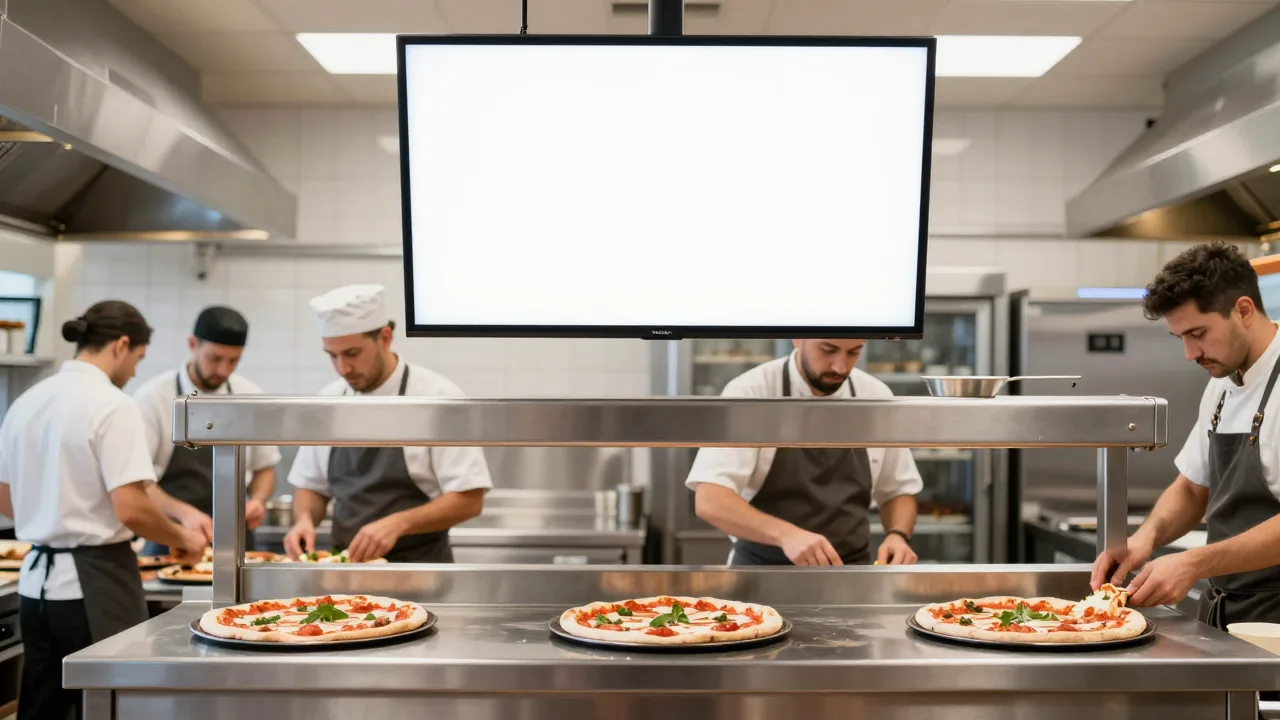
Follow a single order through a pizzeria and the problem announces itself. A customer orders a large half-pepperoni-half-mushroom, ten bone-in wings, a Greek salad, and a two-liter. That's four items, three stations, and three completely different clocks. The salad takes ninety seconds. The wings take about six minutes in the fryer. The pizza needs sixty seconds on the bench and then twelve to fourteen minutes in the deck oven. The soda takes as long as it takes someone to walk to the cooler.
Now watch what happens when all four of those items print on one ticket at one printer near the pass. Somebody has to read the ticket, mentally sort it into three piles, walk each pile to the right person, and remember to start the wings eight minutes after the pizza so the box doesn't leave with cold fries in it. That mental sort is unpaid, invisible labor, and it fails first on the exact nights you need it most.
Make-line routing is what replaces the mental sort with a rule. Let's break down how it actually works, what it costs to set up, and where operators get it wrong.
Make-Line Routing in Plain Terms
Routing is a property attached to a menu item, not a setting on a printer. When you build the item "10 pc Bone-In Wings" in your POS, you assign it a destination: Fryer. When you build "14″ Specialty Pizza," you assign it Make Line. When you build "Greek Salad," you assign it Cold Prep. From that moment on, every order containing those items splits itself automatically — whether it was rung at the counter, taken over the phone, submitted through your website, or pushed in by a delivery marketplace.
That last point is the one operators underestimate. Routing is defined once at the item level and then applies to every channel forever. Add a fourth ordering channel next spring and you don't rebuild anything; the wings still go to the fryer because the wings have always known where they belong.
Underneath, most systems express routing as a small stack of rules evaluated in order:
- Category routing — every item in the Pizza category goes to Make Line. This does 80% of the work with about fifteen minutes of setup.
- Item overrides — the flatbread lives in the Pizza category for reporting but bakes in the conveyor, so it overrides to Oven 2.
- Order-type routing — a dine-in salad goes to cold prep with a "plate" flag; the same salad on a delivery order goes to cold prep with a "box and lid" flag.
- Timing offsets — hold this station's copy for N minutes after fire time so everything finishes together.
- Expo aggregation — one station receives the complete order for assembly and check-out, even though no one there builds anything.
Why One Printer at the Pass Stops Working
Here's the part worth being blunt about: single-printer kitchens don't fail gradually, they fail at a threshold. That threshold is roughly the moment your menu grows past pizza plus one side, or the moment your peak hour crosses about forty tickets.
Below that line, one human can hold the whole board in their head. Above it, three things break at once. Tickets queue in the order they printed rather than the order they should be built, so a fourteen-minute pizza sits behind three salads. Items get orphaned — the wings never got called because the person reading the ticket got pulled to the phone. And the pass becomes a physical bottleneck, because every ticket has to be touched twice: once to read and sort, once to fulfill.
Restaurant operators consistently report that ticket times balloon nonlinearly during rushes, and routing is one of the few fixes that attacks the cause rather than the symptom. You are not asking anyone to move faster. You are deleting a step.
Worth noting: routing also fixes a quality problem that nobody logs. When wings and pizza are fired at the same second, the wings are done eight minutes early. They either go under a lamp and turn leathery, or someone drops them again at the last minute and the order is late. Neither shows up in a report. Both show up in reviews.
The Four Rules That Do Most of the Work
1. Route by what the hands do, not by what the menu says
The single most common setup mistake is mapping routing to your menu's marketing structure. Your menu might group "Sides" together — garlic knots, wings, fries, house salad. But garlic knots come out of the pizza oven, wings and fries come out of the fryer, and salad comes off the cold rail. Three stations, one menu category. Route by the physical station that touches the food, then let reporting categories be whatever your marketing wants.
2. Give expo the whole picture
Every routed station sees a fragment. Somebody has to see the whole order or nothing gets boxed correctly. Expo — which in a small pizzeria is usually the cut table — should receive an aggregated view: all items, the order type, the customer name, the promised time, and a clear indicator when every station has bumped its piece. Skipping expo is how a delivery leaves without the two-liter.
3. Put modifiers where the hands are
"Well done," "light sauce," "cut in squares," and "no cheese on the left half" are instructions that change someone's physical action. They must appear at the station that performs that action, and repeat at the station that verifies it. A well-done note that prints only at expo is a remake. If your system truncates modifiers on the make-line ticket to save paper, fix that before anything else — this is the same discipline that makes half-and-half topping configuration work rather than generate arguments at the bench.
4. Make the routing local, not cloud-dependent
Routing rules should be resolved on hardware inside your four walls. If the rule engine lives only in the cloud, a fifteen-minute ISP outage means terminals still ring orders but nothing reaches the make line. Pressure-test this before you sign: pull the router during a demo and watch whether tickets still split. This is the same non-negotiable that governs any serious evaluation of POS offline mode reliability.
Timing Offsets: The Part Most Operators Skip
Routing without timing offsets solves half the problem. You get items to the right stations, but they all start at once and finish at wildly different moments.
The fix is simple arithmetic. Find the longest cook time on the ticket — usually the pizza — and treat that as your anchor. Every other station gets a hold equal to the anchor time minus its own cook time, minus a small buffer.
| Item | Build + cook time | Offset from fire | Station |
|---|---|---|---|
| 14″ specialty pizza | ~15 min | 0:00 (anchor) | Make line → Oven |
| 10 pc bone-in wings | ~6 min | +8:00 | Fryer |
| Garlic knots | ~5 min | +9:00 | Oven 2 |
| Greek salad | ~1.5 min | +12:00 | Cold prep |
| 2L soda | ~0:20 | +13:00 | Expo |
Two cautions from the field. First, offsets should be defaults, not laws — the expo screen needs a "fire everything now" button for the nights when the oven backs up and the anchor time is a fiction. Second, offsets must respond to promised time on scheduled orders. A pizza ordered at 4:10 for a 6:30 pickup should not fire at 4:10; it should fire at 6:15, which means your routing engine needs to understand future orders, not just the queue in front of it.
Screens or Printers?
You can route to printers. Plenty of pizzerias do it profitably. Assign each category a printer, put the printer at the station, and paper does the rest. It's cheap, it survives grease, and nobody needs training.
The limits show up when volume does. Paper prints once, in the order it arrived, and cannot re-sort itself. It cannot hold a wing ticket for eight minutes. It cannot show you that station three is running four minutes behind station one. And it cannot tell you, at 11pm, that Friday's average make-line bump time was 4:12 versus 3:38 the week before.
Screens can do all of that, which is why routing and kitchen display systems tend to arrive together. If you're weighing the two, our breakdown of pizza kitchen display technology covers the hardware side, and the measured benefits of a KDS covers what changes operationally. For a broader, non-pizza-specific view of how display systems are structured across restaurant types, this practical guide to restaurant kitchen display systems is a good primer, and the specifics of purpose-built kitchen display hardware are worth reviewing before you buy consumer tablets that won't survive a summer next to a deck oven.
Real Numbers: A Two-Oven Shop Splits Its Ticket Flow
Illustrative scenario — a composite example built to show how the numbers work. It does not describe a real business or customer.
A 62-seat neighborhood pizzeria in suburban Rochester ran everything off one impact printer at the pass. Menu had grown over four years from pizza and knots to pizza, wings, six subs, four salads, and a fried-appetizer section. Friday peak was around 71 tickets between 6 and 8 p.m. The owner tracked a month before and a month after moving to item-level routing across four destinations (make line, fryer, cold prep, expo) with timing offsets:
- Average ticket time, 6–8 p.m.: 24:40 → 18:05
- Orders leaving incomplete (missing item): 9 per week → 2 per week
- Wing remakes for temperature: ~14 per week → 3 per week
- Expo labor: unchanged — same headcount, one fewer person needed at the pass on Fridays
- Setup time: one afternoon of menu mapping plus two printers already owned
The owner's summary was blunt: "We didn't get faster. We stopped making everyone read the same piece of paper four times."
Setting Routing Up in an Afternoon
This is genuinely a half-day project for a single-location pizzeria, and it does not require new hardware to start.
- Walk the line and name your stations. Write down every physical place food is touched. Most pizzerias land on three to five: make line, oven, fryer, cold prep, expo. Don't invent stations you don't staff.
- Map every menu item to exactly one build station. Do it on paper first. Anything you argue about for more than thirty seconds is probably an item that needs an override.
- Set expo to receive everything. Aggregated, with order type and promised time visible.
- Measure your real cook times. Not the vendor's numbers — yours, with a phone timer, on three different nights. Offsets built on guesses are worse than no offsets.
- Enter offsets conservatively. Start with half the calculated hold. Tighten after a week of watching what actually lands together.
- Run one shift in parallel. Keep the old pass printer alive for one Friday. If routing drops something, you'll know within an hour instead of a week.
- Review bump times after fourteen days. Any station consistently more than two minutes off the others is telling you about staffing or equipment, not about routing.
One last thing worth saying plainly: routing is a compounding decision. Every ordering channel you add later, every location you open, every menu item you launch inherits the rules you write this afternoon. Get the station map right once and it keeps paying — long after you've forgotten you set it up.
Frequently Asked Questions
What is make-line routing in a pizzeria?
Make-line routing is the POS rule set that decides which station receives each item on an order. Instead of printing one ticket at the pass, the system splits the order by item category and sends dough and topping work to the make line, wings and fries to the fryer, salads and subs to cold prep, and the whole order summary to expo. Routing is configured once per menu item and then runs automatically on every order, no matter whether it came from the counter, the phone, or online.
What is the difference between routing and coursing?
Routing decides where an item goes; coursing decides when it goes there. A wings order and a large pepperoni both belong to the same ticket, but the wings take six minutes and the pizza takes fourteen from the moment the dough is stretched. Routing sends each to its own station. Coursing, usually implemented as a timing offset or fire delay, holds the wings back eight minutes so both land in the box at the same temperature.
Do I need kitchen display screens for make-line routing?
No, routing works with printers too — you simply assign each menu category to a specific printer at a specific station. But screens make routing far more useful, because a screen can re-sort the queue live, show bump times per station, hold an item until its fire time, and change what it displays when a rush builds. Printers put paper in a fixed order and cannot take it back. Most pizzerias that route to three or more stations end up on screens within a year.
How does routing handle half-and-half pizzas and modifiers?
A well-built pizza POS treats a half-and-half as one item with two topping sets, not two half pizzas. The routing rule sends it to the make line as a single build ticket that shows left side and right side stacked, with the crust, size, and bake instructions printed once. Modifiers such as light cheese, well done, or cut in squares should travel with the item to the make line and repeat on the oven or expo display, since those are the two places the instruction actually changes someone's hands.
What happens to routing if the internet goes down?
Routing should be local. If your POS resolves routing rules in the cloud, an outage means tickets stop reaching stations even though the terminals still work. Ask any vendor to demonstrate an unplugged-router test: orders should keep splitting to the correct stations, and screens should keep bumping, with the whole shift syncing back to the cloud once the connection returns. Routing that only works online is a single point of failure sitting in the middle of your dinner rush.
Route Every Ticket to the Right Hands
KwickOS gives pizzerias item-level station routing, timing offsets that fire wings and pies to finish together, aggregated expo views, and kitchen displays that keep running through an outage. Use KwickOS to stop sorting tickets by hand at the pass.
Get Started Free →